
Member Guide
A little local knowledge.
A lot more Sayulita.
Find your next favourite place. Make a plan. Share what you discover. Here’s how to make Sayulita Guide yours, whether you’re here for a week or call it home.
Start exploringLeer en español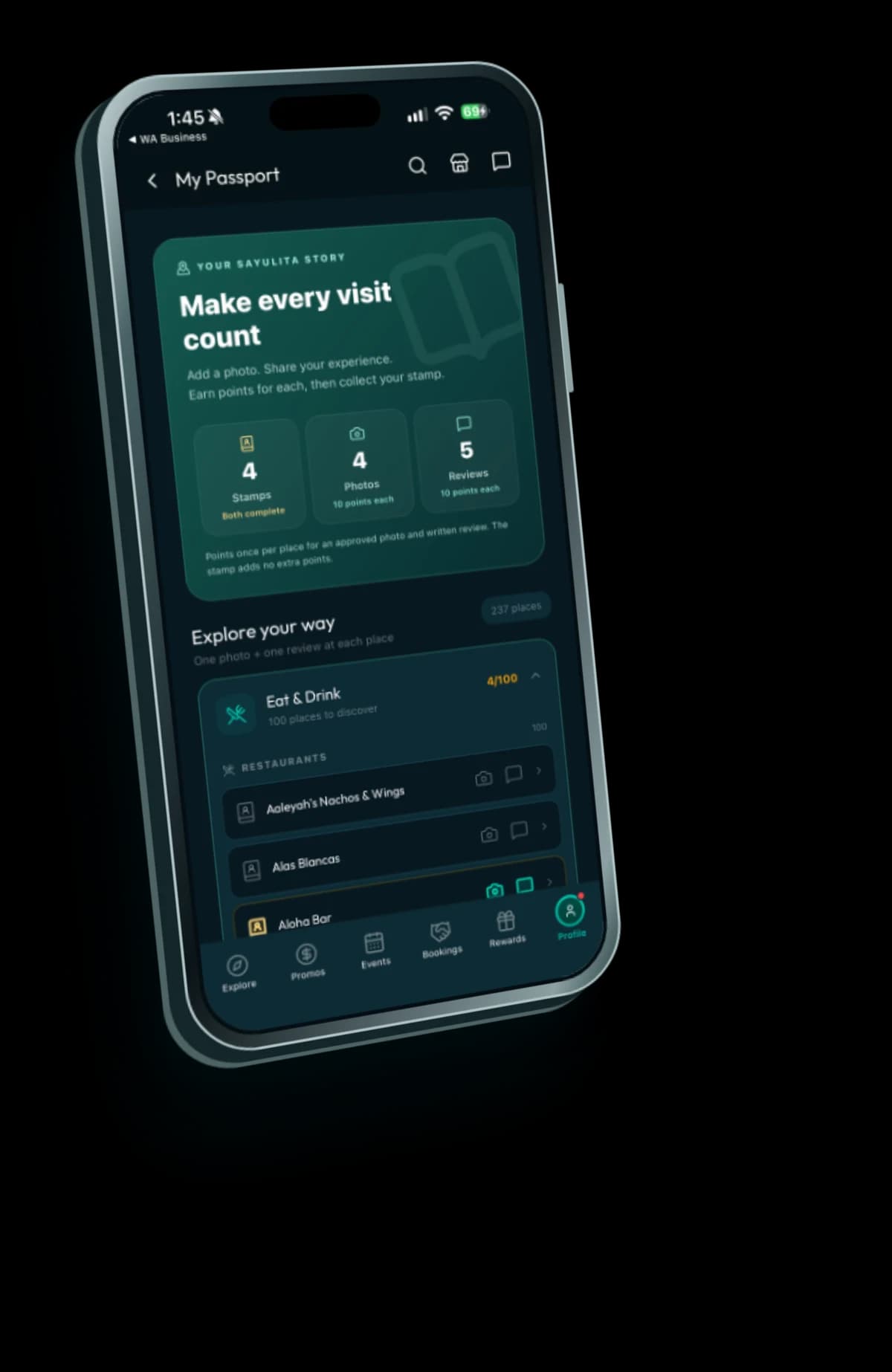
01 / Explore
Less searching. More getting out there.
A place for the things that make a good day in Sayulita: somewhere to eat, something to do and people worth finding.
- 01
Find your next place
Start in Explore. Search or browse a category, open a listing and use its map and available contact details to plan your visit.
- 02
See what’s happening
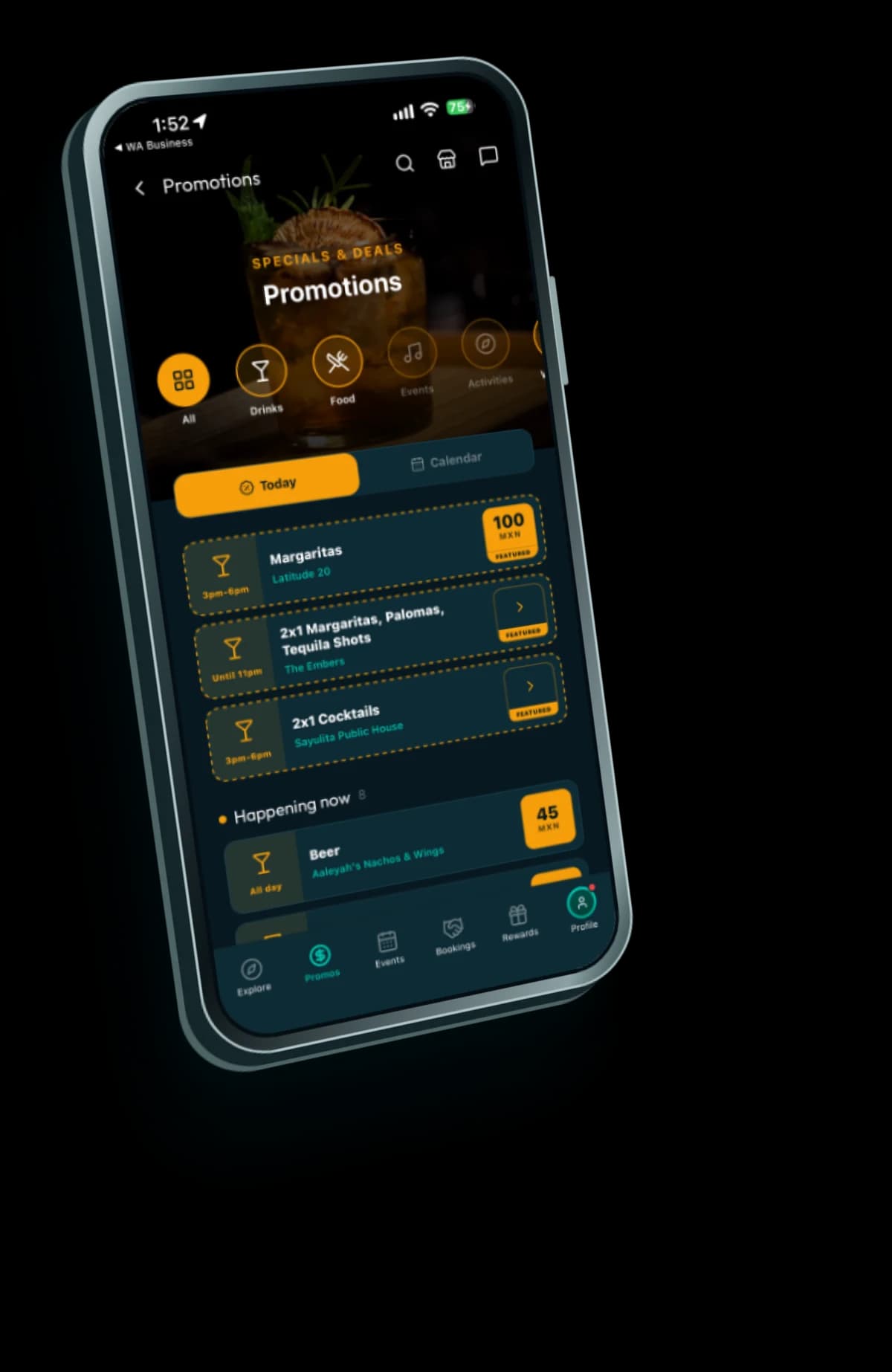
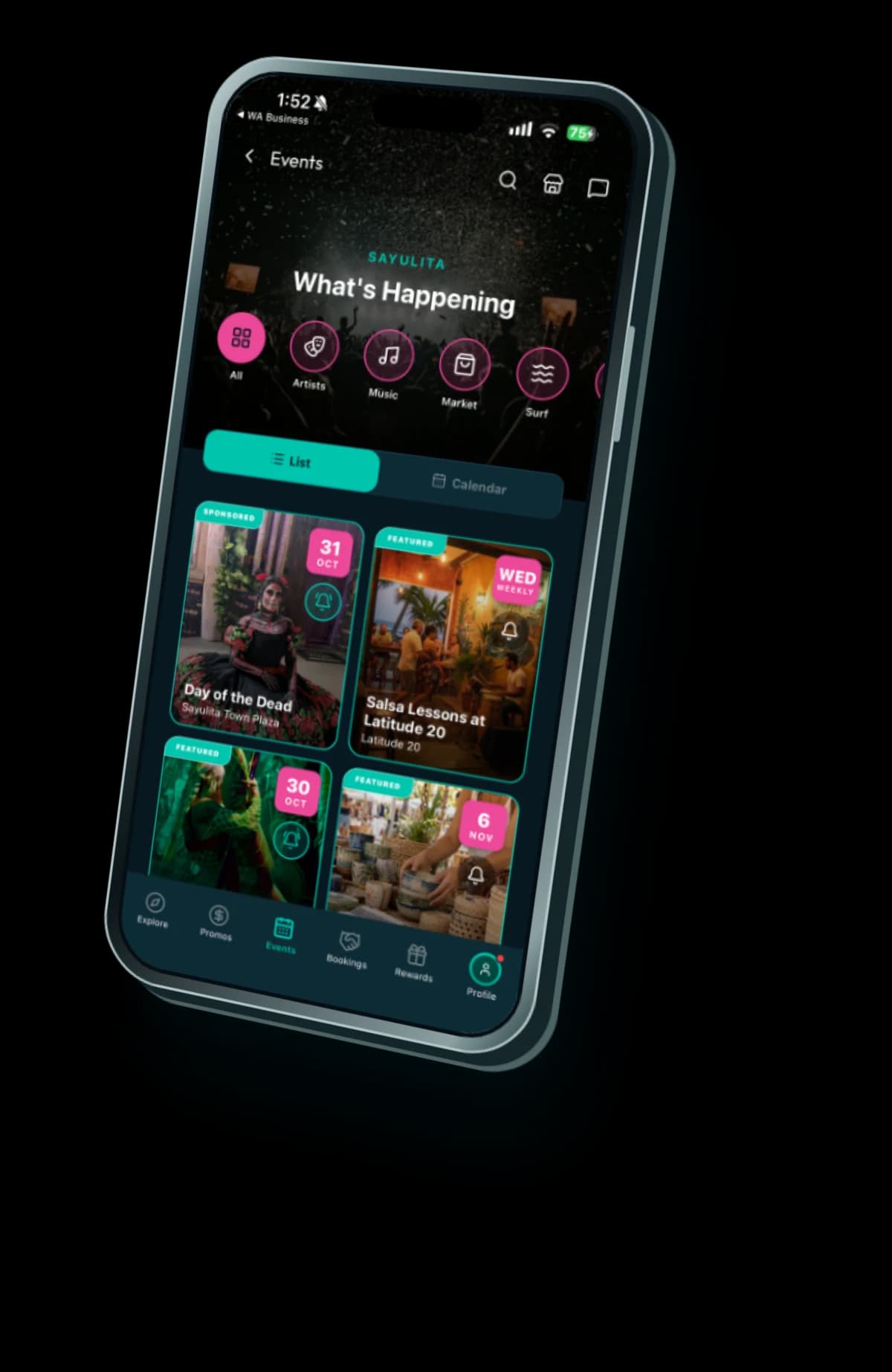
Browse Events and Promotions. Check dates, times, venues and offer conditions before heading out.
- 03
Save and share your shortlist
Tap the heart on a place you like. In Profile → Favourites, organise your lists and use Share this list when you want to send one to friends. Read the sharing prompt first.
- Profile
- Favourites
02 / Make it yours
One community. Your way of being part of it.
Choose one profile type that fits you. You can change it later in Settings.
- Profile
- Settings
- Profile type
Own a business or work at one? You’re part of the community too.
Business ownership and staff access sit alongside your profile type. An approved claim gives you owner tools; accepting a staff invitation gives you the access that business assigns. You don’t need to change from Local or Local Artist to take on a business role.
Choose one profile type
Tourist
Here for a visit? Discover places, events and promotions, build your Passport and enjoy available rewards.
Local
Call Sayulita home? Keep up with local places, events and promotions, and share the knowledge that makes this community useful.
Local Artist
Share your work and contact details through your artist profile. You can also submit a Gig for approval in Events.
Your role at a business does not replace your member profile.
03 / Your Passport
Build your Sayulita Passport.
Your Passport brings your contributions together, place by place. Choose somewhere you’ve actually visited, add your photo and written review, and see your progress.
- Profile
- My Passport
- 01
Visit and find the listing
Choose the correct place in your Passport or open its listing.
- 02
Tell people what it was like
Write an honest review based on your own experience. A rating alone does not earn the written-review points.
- 03
Add your own photo
Use the app’s photo flow. Allow location access when requested so it can check a camera photo’s location. Contributions go through review.
- 04
Watch your Passport grow
An approved written review and an approved photo earn 10 points each, once per person and place. Complete both to collect the stamp; the stamp adds no extra points.
Helpful beats glowing. Share your real experience, whatever the rating. Rewards are for eligible contributions, not for giving five stars.
04 / Rewards
Turn your points into local rewards.
Use your points toward available rewards from participating local businesses. Choose an offer you want to enjoy and read its conditions.
- Profile
- Rewards & Referrals
- Redeem points
- 01
Choose a reward
Read what’s included, its points cost, business location, availability and any conditions.
- 02
Show your code at the business
Open the reward when you’re ready to use it. Show its QR code or short code to an authorised team member.
- 03
Let the business confirm it
For new reward codes, points are deducted when the business successfully confirms redemption, not just when you open the code.
Points are deducted when the business confirms a new reward code.
One reward per business, per person, per Sayulita day. You can redeem at different businesses on the same day. Check the code’s expiry and the offer terms; opening a code does not reserve availability. Points are not a general cash balance.
05 / Your business
Own a business? Start here.
Your personal account can also manage a business. Claim an existing listing first so reviews, photos and location information stay together.
- Profile
- Add or Claim a Listing
- 01
Search before adding
Open Profile → Add or Claim a Listing. If you already manage a business, open My Listings and choose Add / Claim Another Listing. Search for your business name.
- 02
Request ownership
Select the matching unclaimed listing and complete the claim form with your name, email, phone number and any helpful details.
- 03
Wait for the review
Your request is reviewed before owner access is granted. Track pending requests in My Listings. A claim request is not an instant ownership transfer.
- 04
Manage your listing
After approval, open My Listings to update your business information. If no matching listing exists, use the add-new option. If it is already claimed, contact us rather than creating a duplicate.
Your basic listing is free. Forever.
Claiming your listing is free. Verified is an optional paid plan with additional features, including priority over unverified listings in recommendations and tools for business promotions and events. Any trial has its own stated end date. Read the business guide for the full details.
Explore the business guide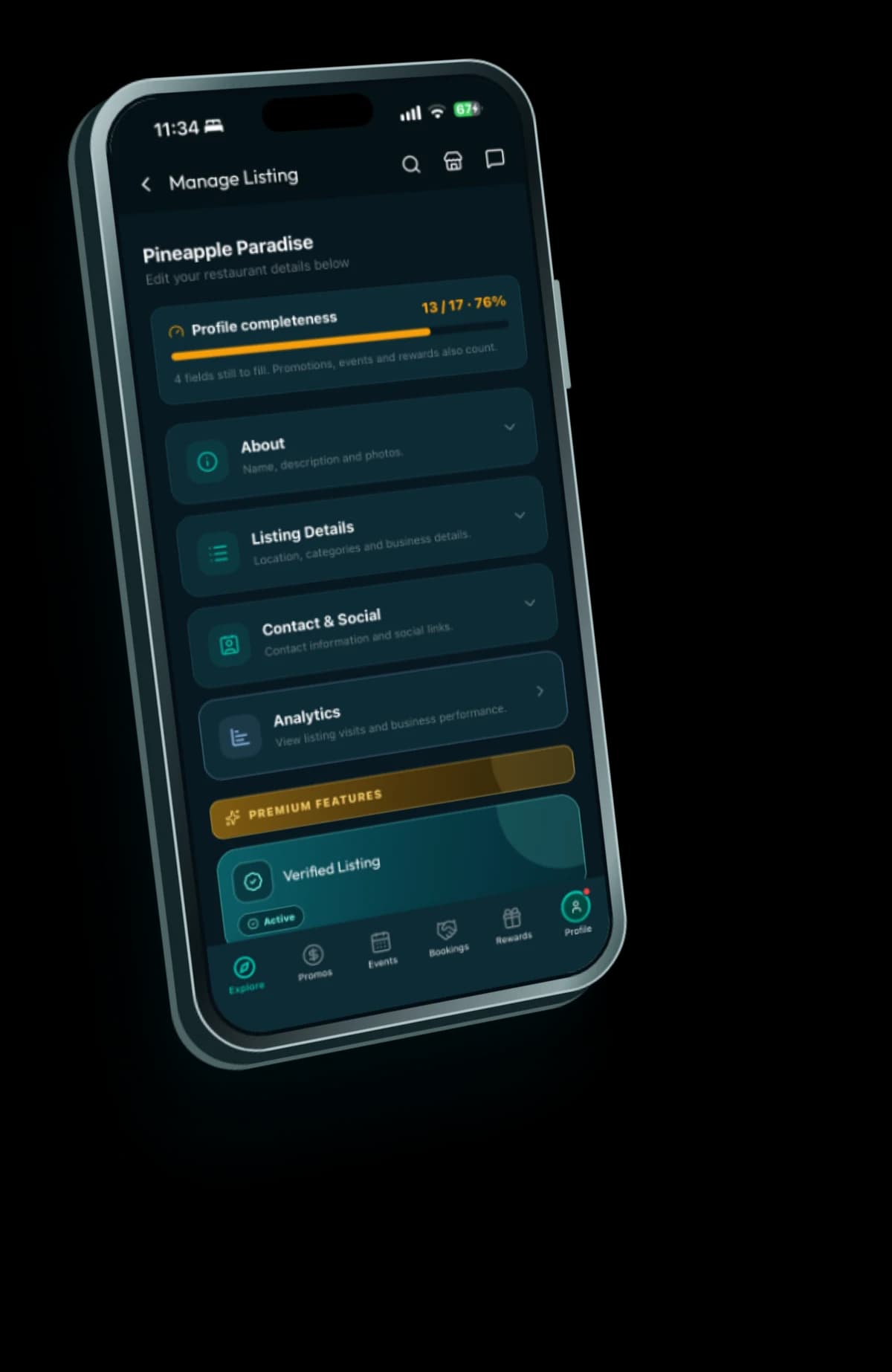
06 / Help
A few useful answers.
Do I need a business to use Sayulita Guide?
No. The guide, Passport and available member rewards are for visitors and residents too. Business claiming is an optional part of your account.
Why haven’t my points or stamp appeared?
A contribution may still be under review. Written reviews and photos each qualify once per person and place. A stamp needs both approved contributions; a rating without written text is not enough.
Why can’t I use a reward?
Check its availability, conditions, points cost and code expiry. You need enough points when the business confirms it, and the one-reward-per-business daily limit applies.
Can I book and pay for everything in the app?
Check the current options on the listing. Use the available contact methods to confirm a service or reservation with the business. This guide does not promise in-app checkout for every provider.
Your next favourite place is out there.
Start with one place. Save it, visit it and tell the next person what made it worth finding.
Start exploring